Introduction to Open Science
Become a champion of open (data) science
Introduction to Open Science
Become a champion of open (data) science
Intro to Version Control with Git
Credit: Key results of the survey on reproducibility conducted by Nature in 2016


We will use the term repository which means your folder
git init = initiate a repository
We will use the term repository which means your folder
git init = initiate a repository
git add = track this file
We will use the term repository which means your folder
git init = initiate a repository
git add = track this file
git commit = save these changes
We will use the term repository which means your folder
git init = initiate a repository
git add = track this file
git commit = save these changes
git push = transfer these changes to the remote
We will use the term repository which means your folder
git init = initiate a repository
git add = track this file
git commit = save these changes
git push = transfer these changes to the remote
git status = displays the state of the working directory and the staging area
Let's try, we'll use new project!
fork = Forking a repository allows you to freely experiment with changes without affecting the original project
git clone = Make a local copy in my local machine
fork = Forking a repository allows you to freely experiment with changes without affecting the original project
git clone = Make a local copy in my local machine
git pull = Fetch and download content from a remote repository and immediately update the local repository to match that content
We will use glosario repo, ou can also use WiDS-ex repo in my account


git checkout -b BRANCH-NAME = Create a branch tp prevent conflict

git checkout -b BRANCH-NAME = Create a branch tp prevent conflict
git checkout master/main = Go back to the master branch
We will use glosario repo, ou can also use WiDS-ex repo in my account


git log = Shows all the commits

git log = Shows all the commits
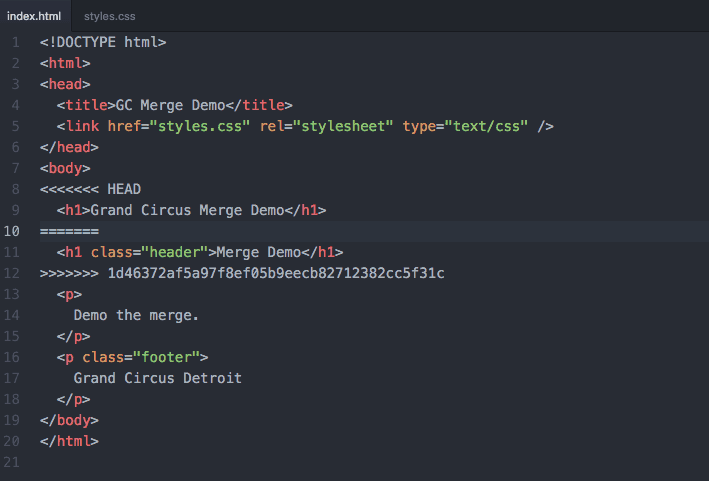
git merge = Merge any changes from two branches unless there is a conflict

git log = Shows all the commits
git merge = Merge any changes from two branches unless there is a conflict
git checkout COMMIT_ID = Revert back in time
We will use WiDS-ex repo to add LICENSE
We will use WiDS workshop repo and Zenodo
You can easily contributing to open-source, improve employability
You will learn programming and coding, have others review your code.
You can easily contributing to open-source, improve employability
You will learn programming and coding, have others review your code.
You will not be (useless) data scientist
You can easily contributing to open-source, improve employability
You will learn programming and coding, have others review your code.
You will not be (useless) data scientist
You will start build tools and packages

Open Life Sciences (OLS3) program helps individuals and stakeholders in research to become Open Science ambassadors.
We want to provide a place where newcomers and experienced peers interact, inspire each other to embed open science (research) practices and values in their workflows and provide feedback on policies, infrastructures and support services. Together working to make Open Science the norm. So we are calling out to researchers and colleagues in Saudi Arabia.

Batool Almarzouq
The University of Liverpool
Founder and director of Talarify, Mentor OLS3
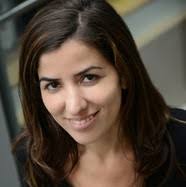
Paula Moraga, Assistant Professor in Statistics for Public Health
(KAUST)

Keyboard shortcuts
| ↑, ←, Pg Up, k | Go to previous slide |
| ↓, →, Pg Dn, Space, j | Go to next slide |
| Home | Go to first slide |
| End | Go to last slide |
| Number + Return | Go to specific slide |
| b / m / f | Toggle blackout / mirrored / fullscreen mode |
| c | Clone slideshow |
| p | Toggle presenter mode |
| t | Restart the presentation timer |
| ?, h | Toggle this help |
| Esc | Back to slideshow |